

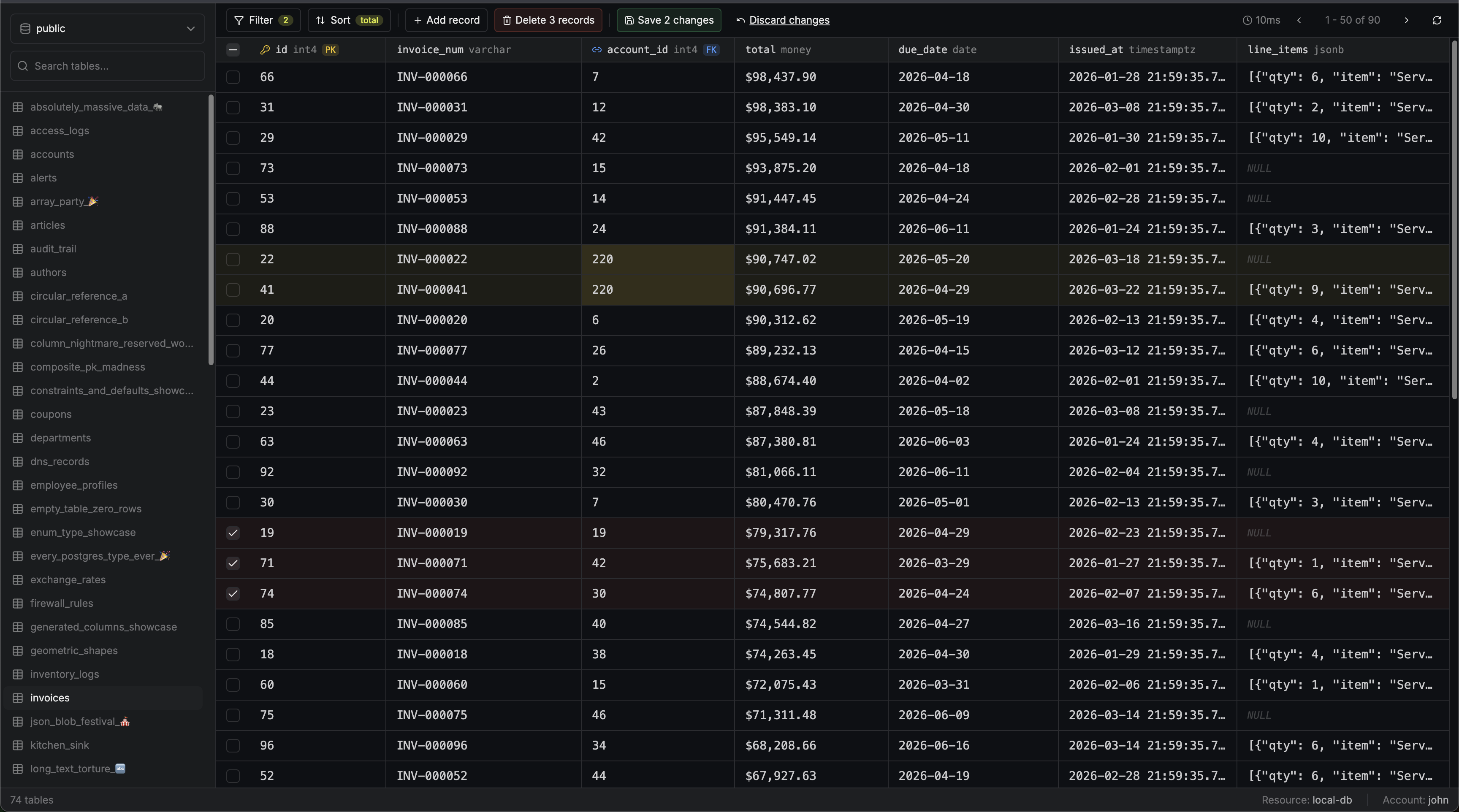
 PostgreSQL web access provides a unified interface for interacting with your database directly from the browser. It combines visual table browsing and editing with an integrated SQL query runner, all in one interface.
Connecting
Navigate to Account
Go to the Resources tab in your PAM project, open the PostgreSQL resource, and find the account you want to access. Click the Connect button next to the account.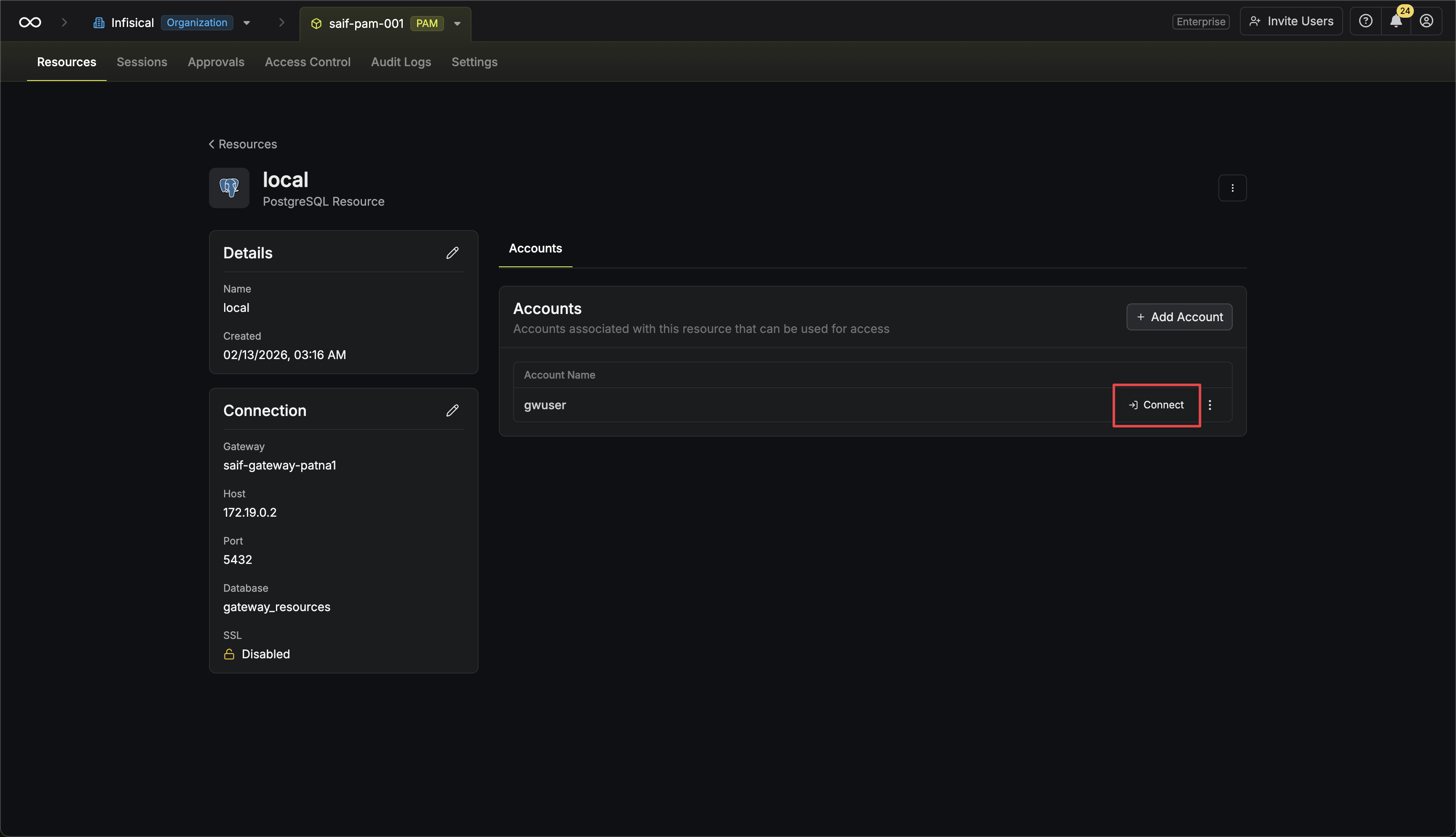 Alternatively, if you are on the account page, click the Access button.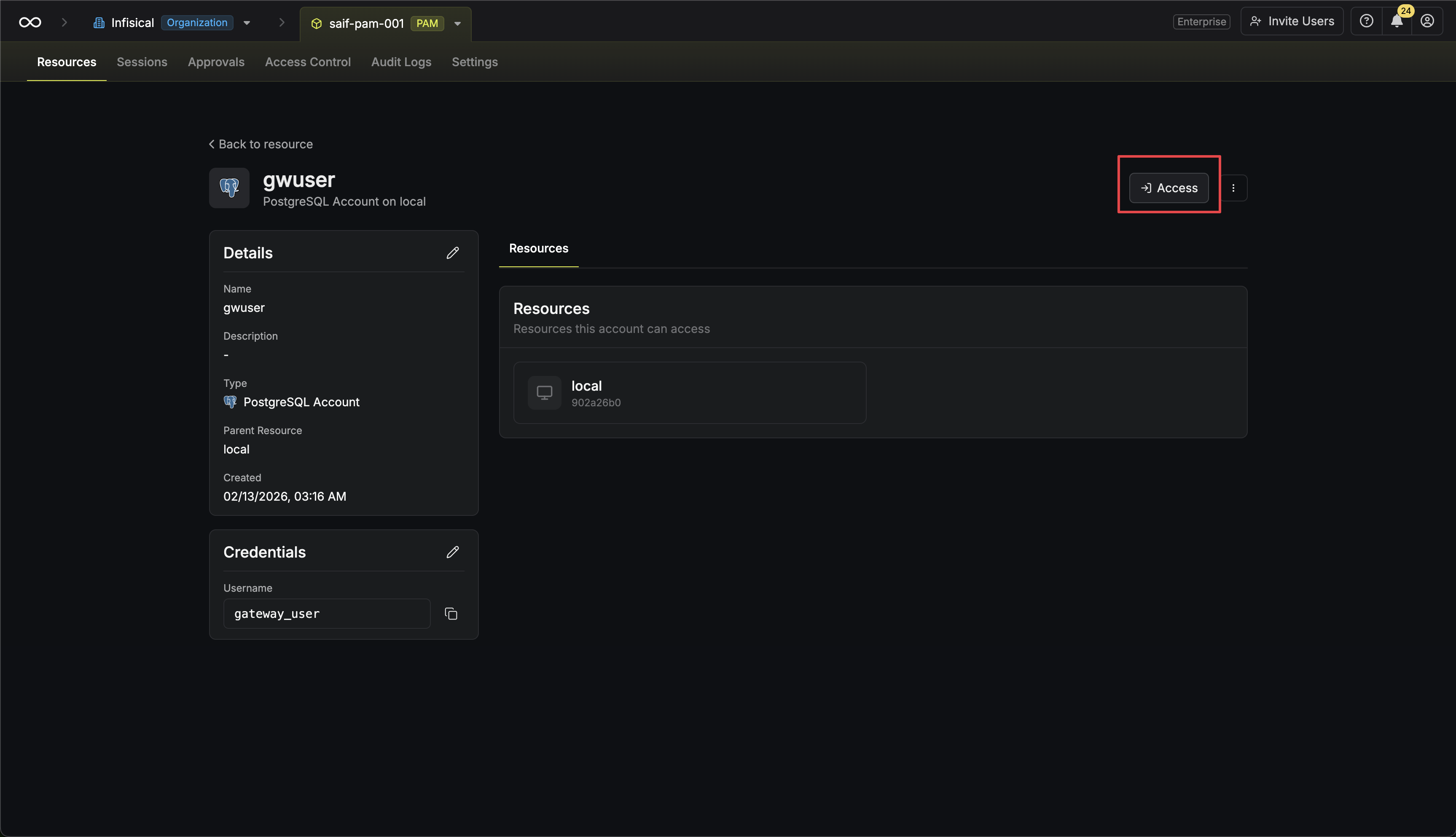
Alternatively, if you are on the account page, click the Access button.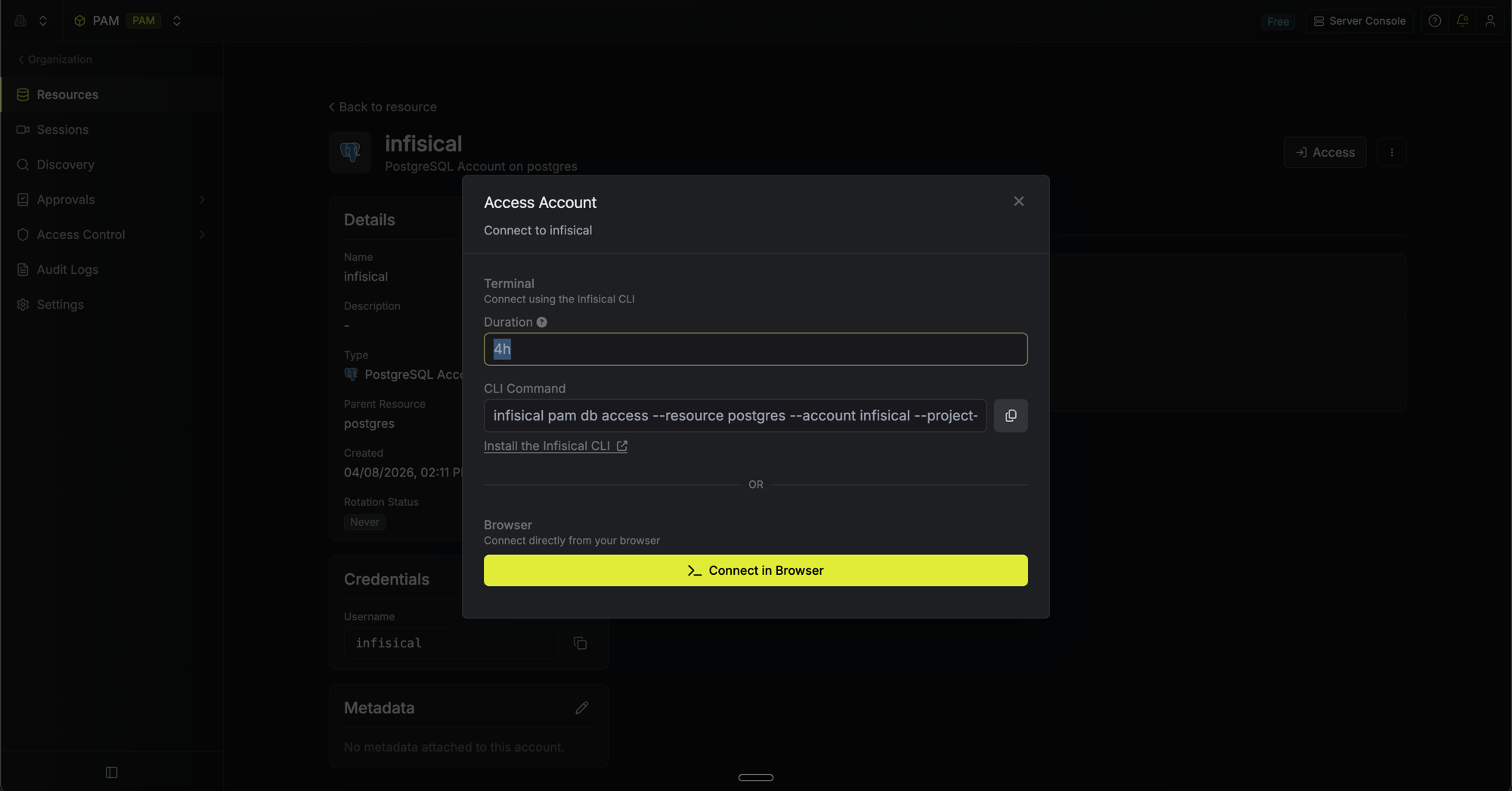
- Browse tables and explore their data
- Filter and sort to quickly find what you need
- Edit data directly — add, update, or delete rows
SQL Queries
The SQL query runner lets you run arbitrary SQL against your database without leaving the browser.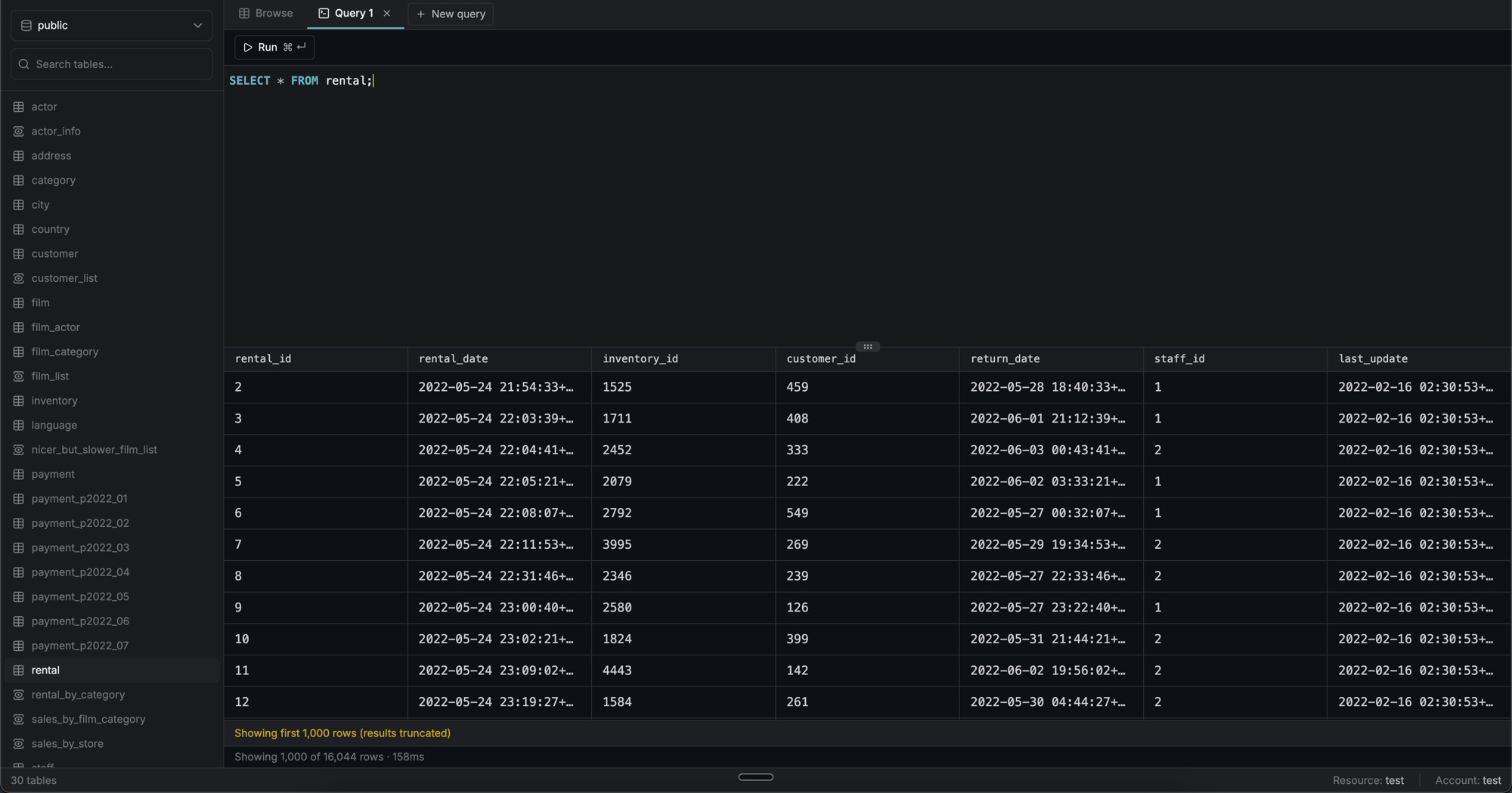
Usage
Click the + button in the tab bar to open a new query tab. Each tab has its own SQL editor and results panel. Write your query in the editor and run it by clicking Run or pressingCmd+Enter (Mac) / Ctrl+Enter (Windows/Linux). Results are displayed in a table below the editor with column types, primary key, and foreign key indicators.
You can open multiple query tabs at once. Tabs are independent: each has its own SQL content and results.
Multi-statement queries
If you run multiple statements at once, the results of the last statement are shown, the same behaviour aspsql.
Mutation queries
INSERT, UPDATE, and DELETE statements display the number of affected rows instead of a result table.
Limits
In addition to the common session limits, the following PostgreSQL-specific limits apply:| Setting | Value |
|---|---|
| Statement timeout | 30 seconds per query |
FAQ
Can I edit data for all tables?
Can I edit data for all tables?
Editing is only available for tables that have a primary key defined. Tables without a primary key, as well as views, are displayed in read-only mode.
Does the SQL query runner support transactions?
Does the SQL query runner support transactions?
Yes. You can use
BEGIN, COMMIT, and ROLLBACK to manage transactions. An active transaction is shared across all query tabs — changes made in one tab are visible in others until you commit or roll back. The toolbar will show a Transaction open indicator while a transaction is in progress.Can I run only part of a query?
Can I run only part of a query?
Yes. Select any portion of the SQL in the editor and click Run Selection (or press ⌘ Enter / Ctrl Enter) to execute only the selected text.