

How It Works
When a user initiates a session by accessing an account, a recording of the session begins. The Gateway securely caches all recording data in temporary encrypted files on its local system. Every 10 seconds, the Gateway incrementally uploads new session events to the Infisical platform, allowing administrators to monitor activity in near real-time without waiting for the session to end. If the connection to the Infisical platform is temporarily lost, the Gateway continues recording locally and resumes uploading once connectivity is restored, ensuring no data is lost. After the session concludes, administrators can search and review the complete session logs on the Infisical platform.What’s Captured
The content captured during a session depends on the type of resource being accessed.Database Sessions
Database Sessions
Infisical captures all queries executed and their corresponding responses, including timestamps for each action.
SSH Sessions
SSH Sessions
Infisical captures all commands executed and their corresponding responses, including timestamps for each action.
Viewing Recordings
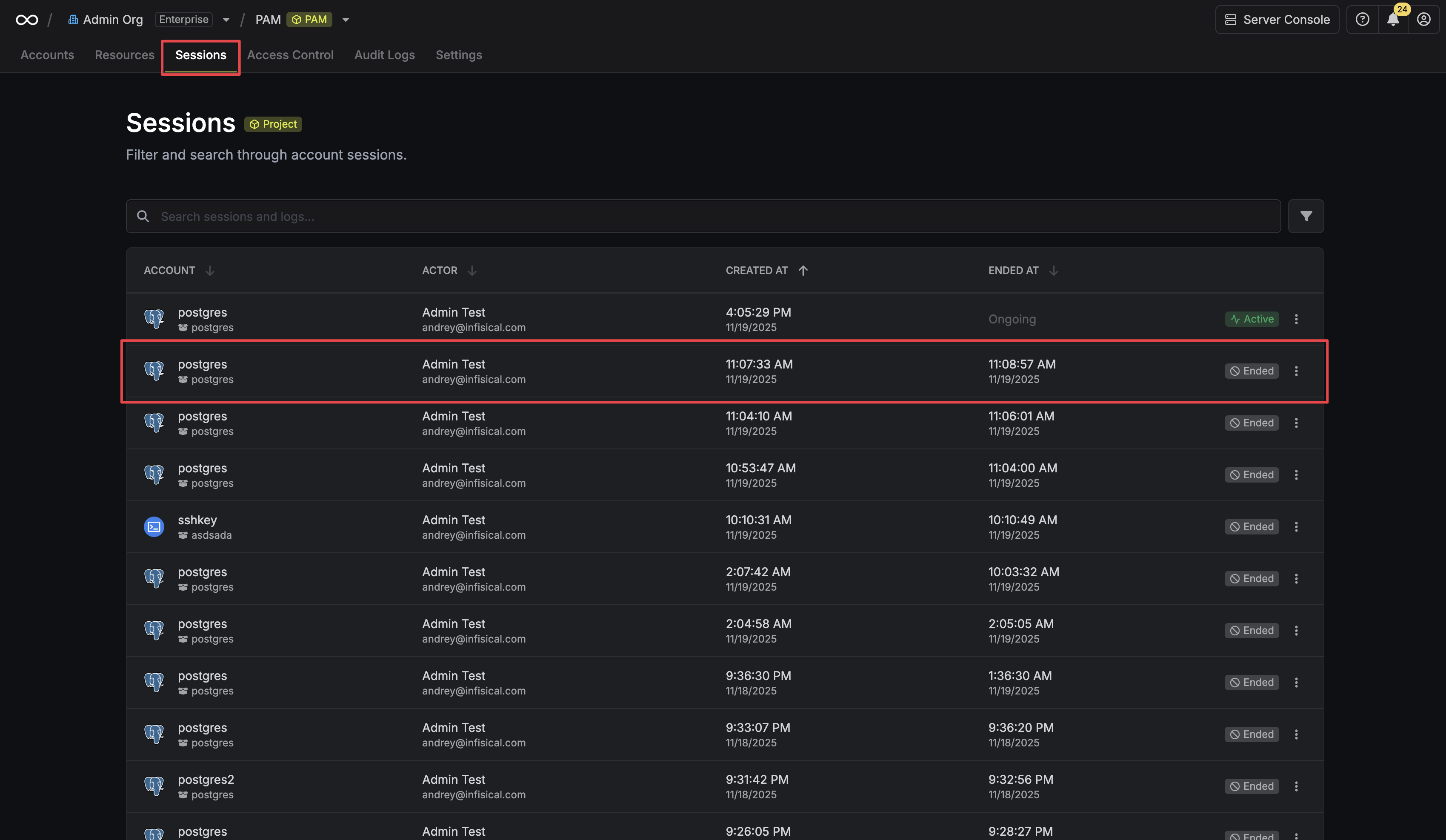
To review session recordings:- Navigate to the Sessions page in your PAM project.
- Click on a session from the list to view its details.
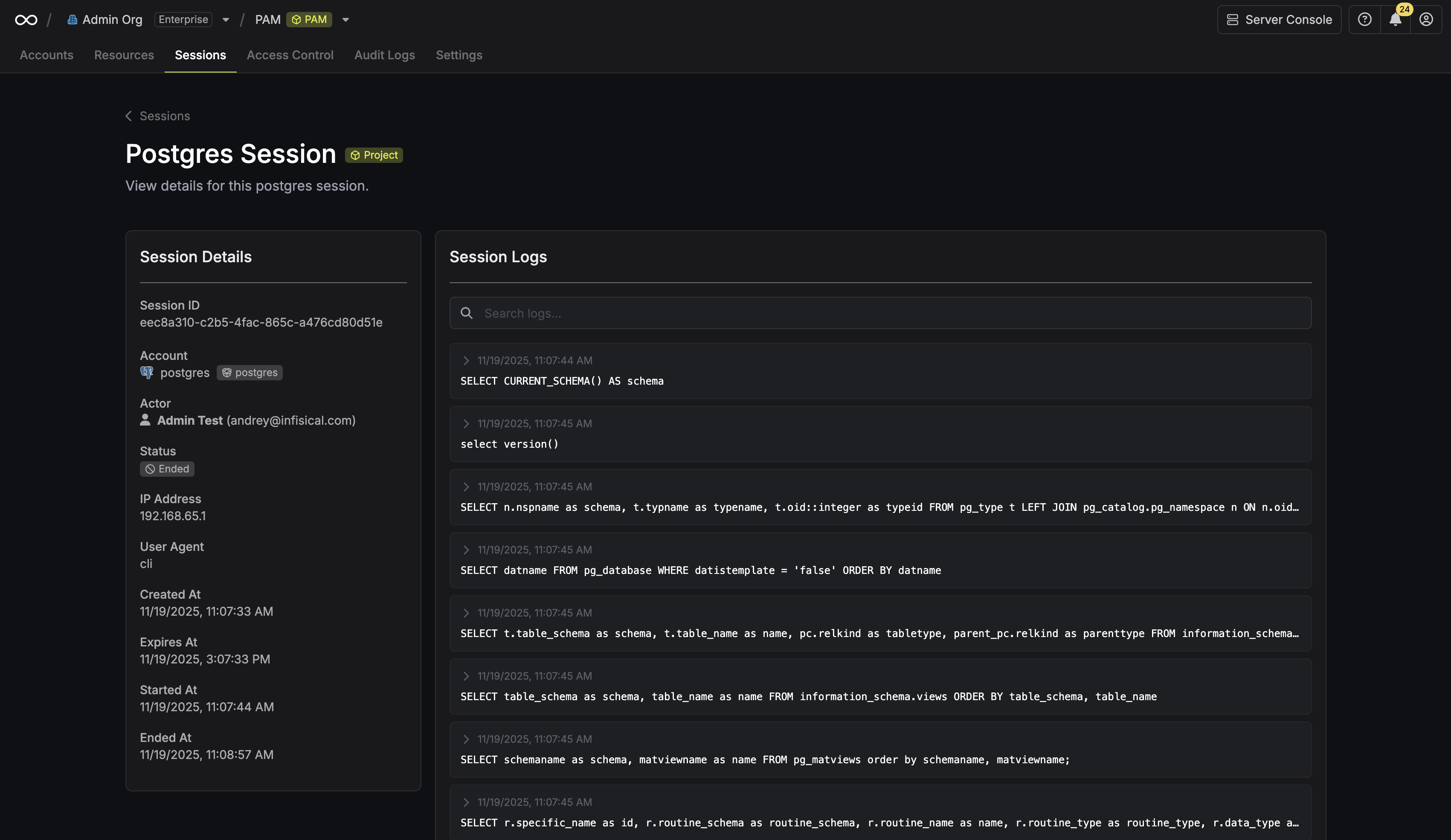
 The session details page provides key information, including the complete session logs, connection status, the user who initiated it, and more.
Searching Logs
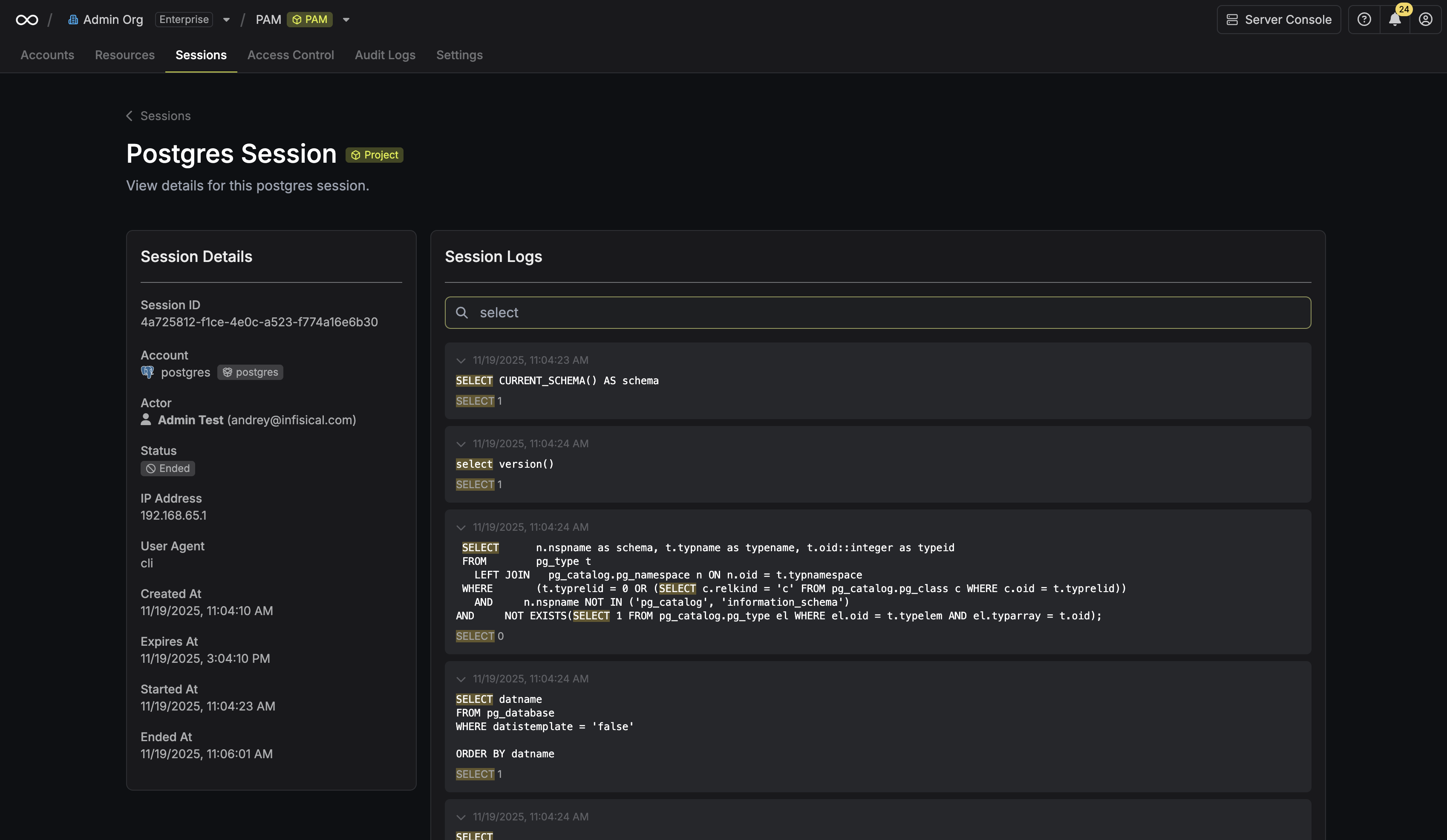
You can use the search bar to quickly find relevant information: Sessions page: Search across all session logs to locate specific queries or outputs.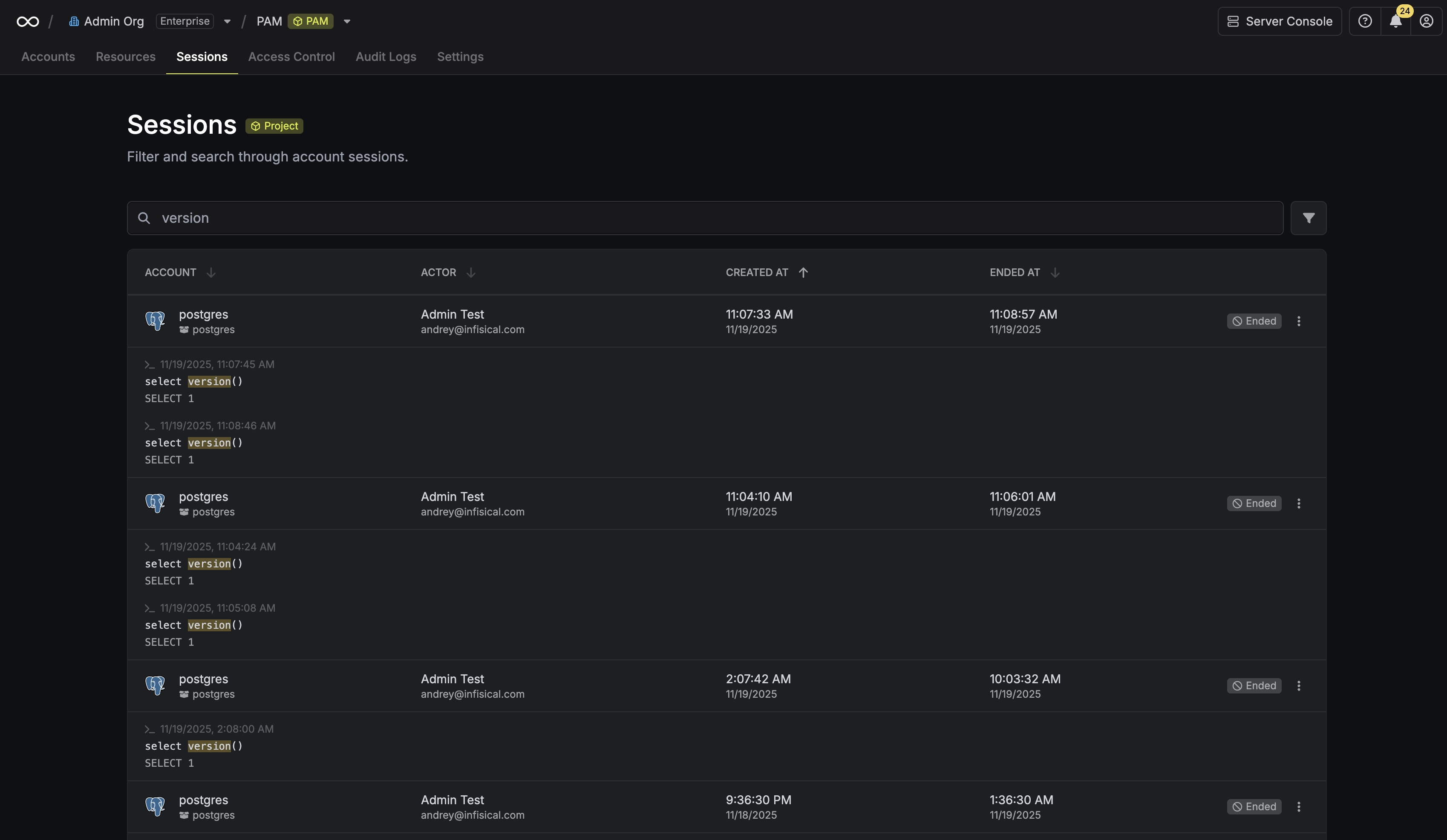 Individual session page: Search within that specific session’s logs to pinpoint activity.
AI Insights
Infisical can automatically generate an AI-powered summary of each session’s activity once it ends. The summary includes a plain-language overview of what the user did and highlights any actions that may warrant further review. See AI Session Insights to learn how to configure this feature.FAQ
Are session recordings encrypted?
Are session recordings encrypted?
Yes. All session recordings are encrypted at rest by default, ensuring your data is always secure.
How quickly do session logs appear on the platform?
How quickly do session logs appear on the platform?
Session events are uploaded every 10 seconds, so logs appear on the platform in near real-time during an active session. The session detail page refreshes automatically while a session is active.