

Gateway Pools is an enterprise feature. Self-hosted users can contact
sales@infisical.com to purchase an enterprise
license.
How It Works
- You create a Gateway Pool and add multiple gateways that share network access to the same resources.
- When configuring a consumer (e.g., Kubernetes Auth), you select the pool instead of an individual gateway.
- At request time, the platform picks a random healthy gateway from the pool and routes through it.
- If a gateway goes down, subsequent requests automatically route through the remaining healthy members.
Creating a Gateway Pool
- Navigate to Organization Settings > Networking > Gateways.
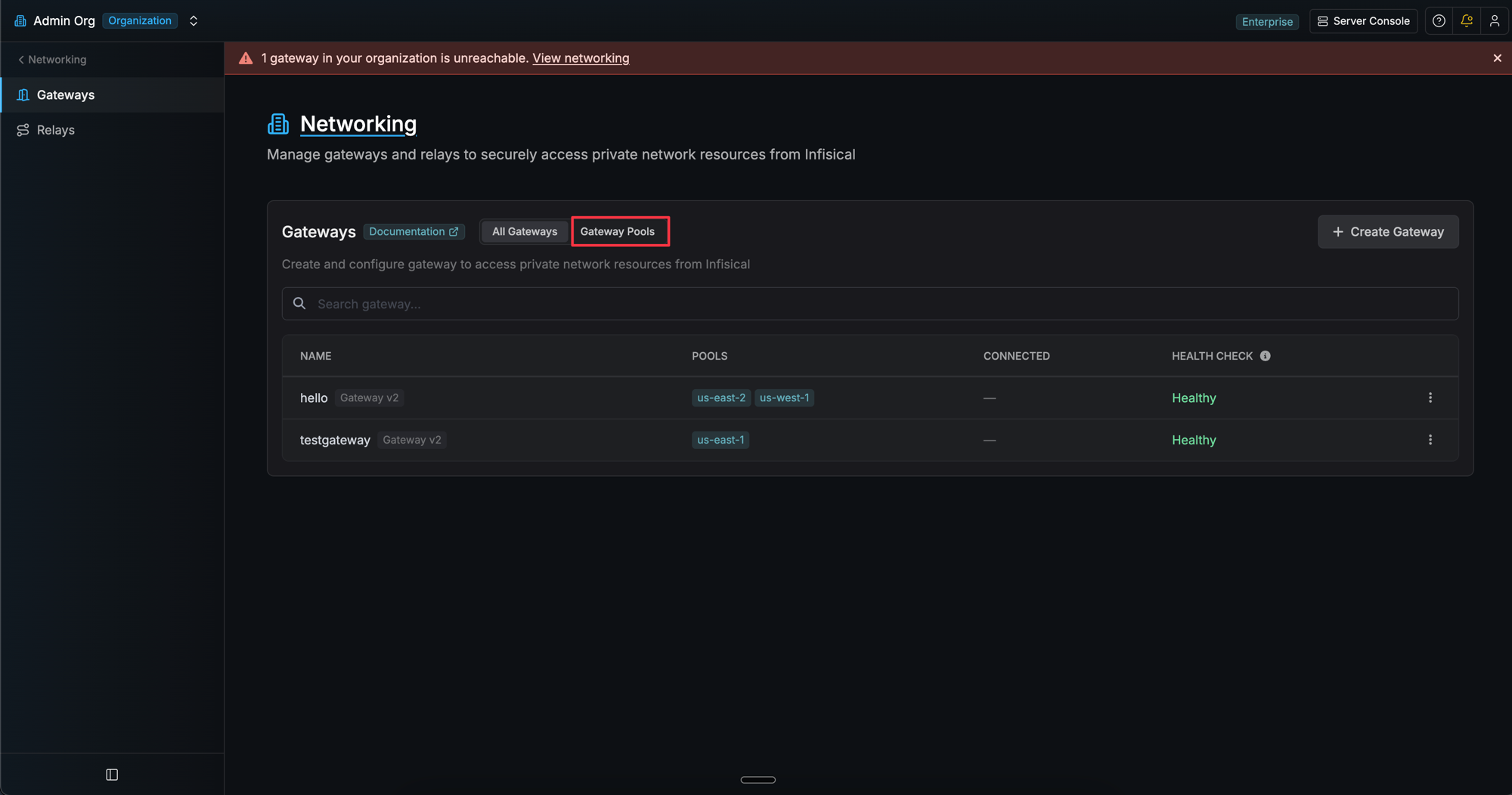
- Click the Gateway Pools tab.
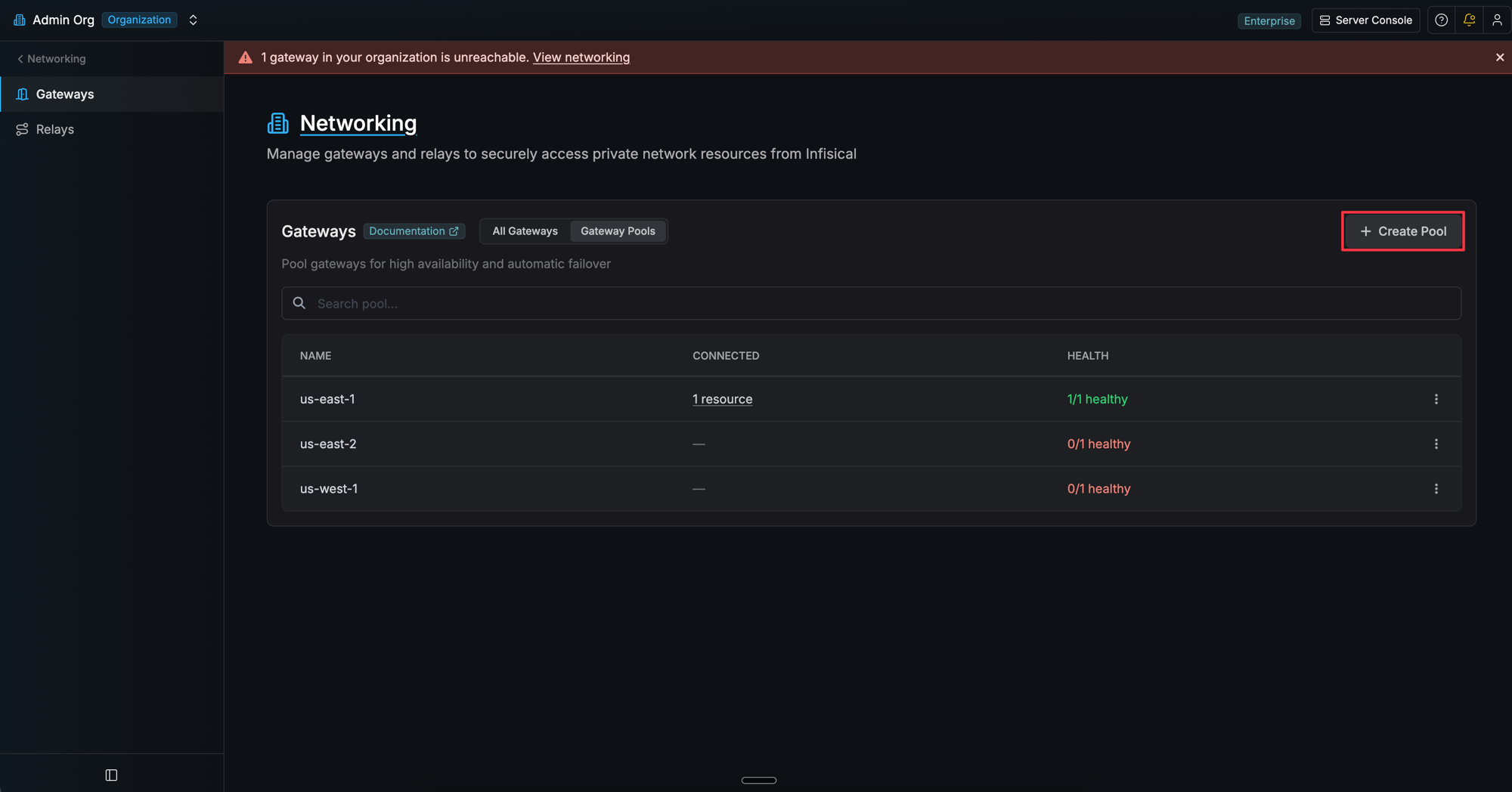
- Click Create Pool.
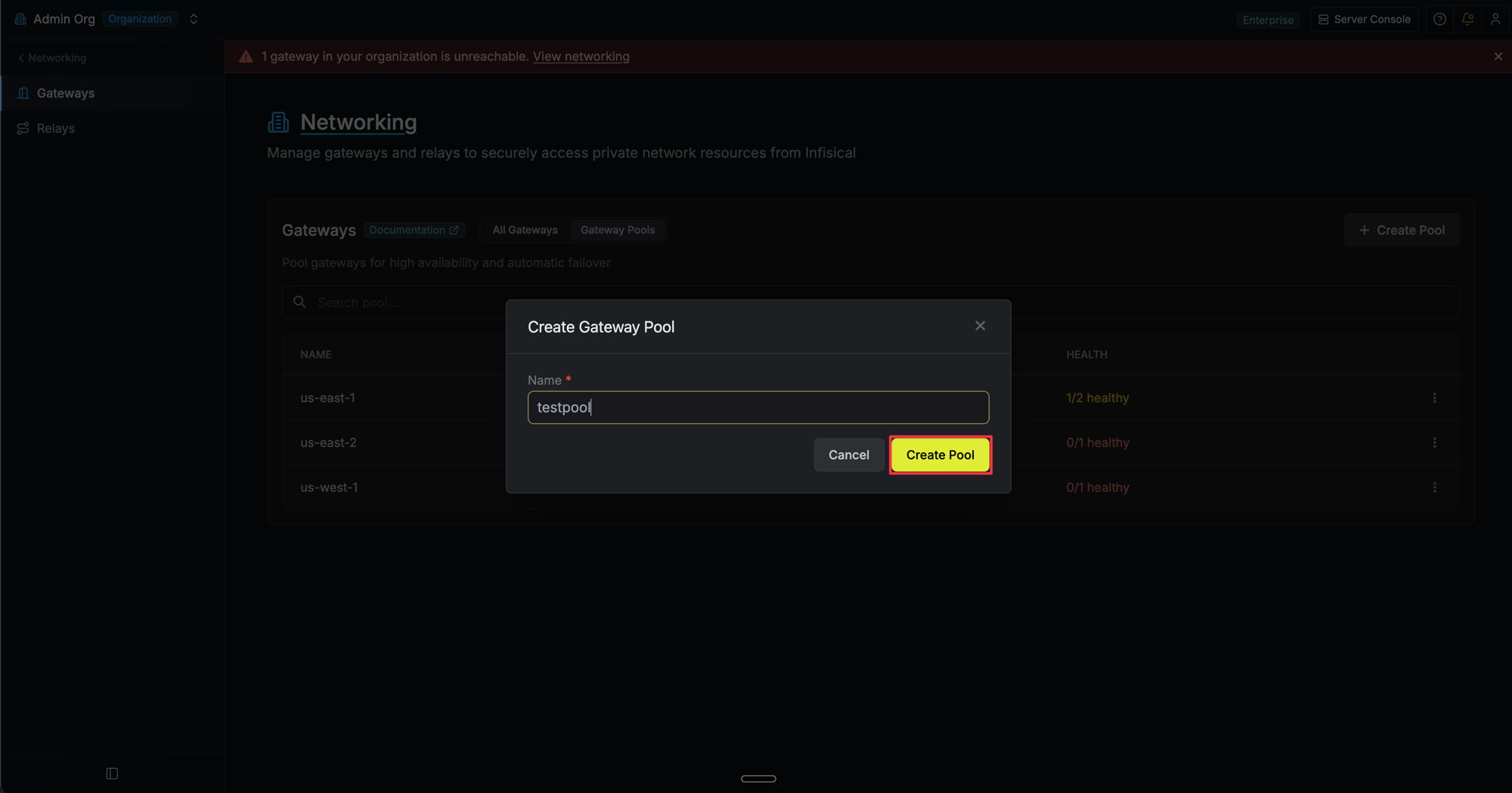
- Enter a name for the pool and click Create Pool.
Adding Gateways to a Pool
- In the Gateway Pools tab, click on a pool to open its detail view.
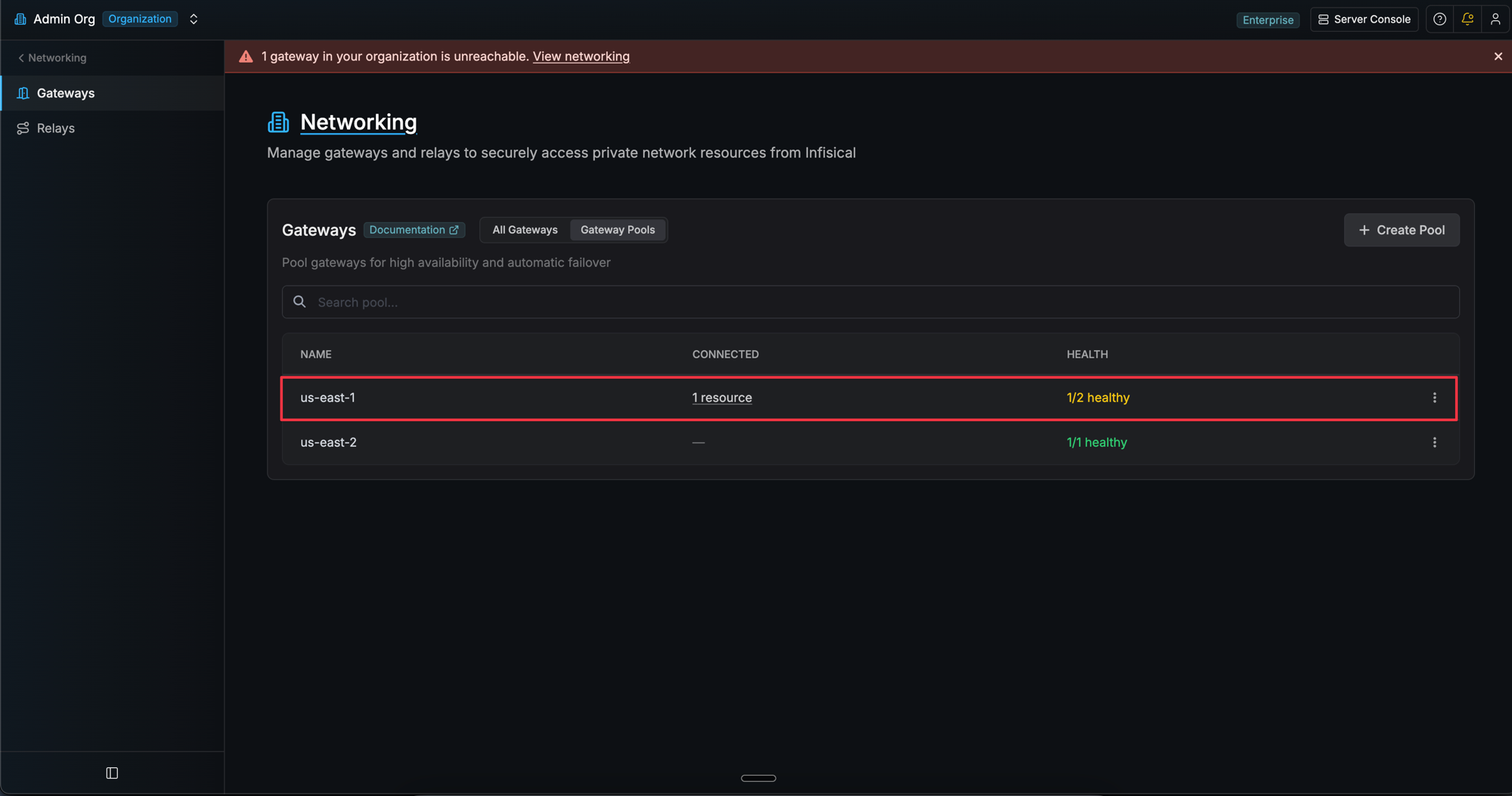
- Click Add Gateway and select a gateway from the dropdown.
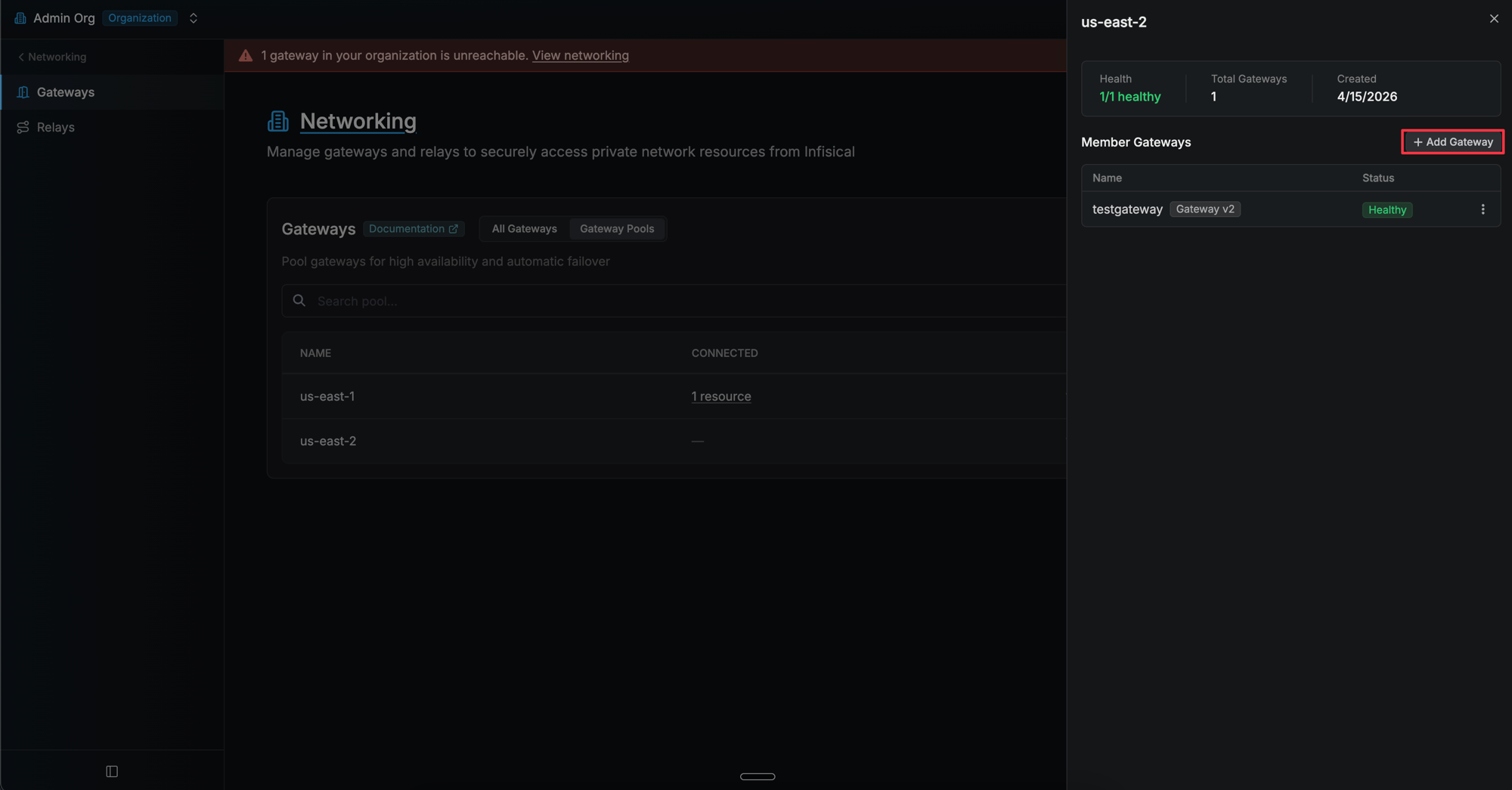
- Repeat for each gateway you want to add.
Using a Pool in a Consumer Config
Anywhere you configure a gateway, the gateway picker dropdown shows both individual gateways and gateway pools. Pools are listed under the “Gateway Pools” section with an HA (high availability) badge and health status. When you select a pool, the platform validates connectivity through one of its healthy members before saving.Gateway Selection
When a request is routed through a pool, the platform picks a gateway at random from the pool’s healthy members. There is no round-robin or weighted selection.Pool Health
Each pool displays an aggregate health status based on its members:- Green (e.g., “3/3 healthy”) - All members are healthy
- Yellow (e.g., “2/3 healthy”) - Some members are unhealthy
- Red (e.g., “0/3 healthy”) - All members are unhealthy
FAQ
Which features support gateway pools?
Which features support gateway pools?
Gateway pools can currently be selected in Kubernetes Auth configurations. Support for additional consumers such as dynamic secrets, PAM, and app connections is coming soon.
Can I delete a pool that is in use?
Can I delete a pool that is in use?
No. A pool cannot be deleted if it is referenced by any consumer configurations (e.g., Kubernetes Auth). You must first update those configurations to use a different gateway or pool before deleting.
How can I see what is using a pool?
How can I see what is using a pool?
Each pool shows a count of connected consumer configurations in the table. Click the count to see the full list with links to each resource.
What happens if all gateways in a pool are unhealthy?
What happens if all gateways in a pool are unhealthy?
The request fails with a descriptive error. You should ensure at least one gateway in the pool is online and has a recent heartbeat.
Can a gateway belong to multiple pools?
Can a gateway belong to multiple pools?
Yes. A gateway can belong to as many pools as needed, as long as it has connectivity to the resources served by each pool.